At Your Expert Tech, we help businesses evaluate their technology needs and choose the support model that fits their operations, budget, and long-term goals. Here’s what to consider before deciding which approach is right for your company.
Outsourced IT Support vs In-House IT Support: What’s the Difference?
In-house IT support means your business hires employees directly to manage technology. These team members may handle help desk requests, network maintenance, cybersecurity, software issues, hardware setup, backups, vendor communication, and strategic planning.
Outsourced IT support means your business partners with an external IT provider to manage some or all of those responsibilities. This may include remote support, onsite service, cybersecurity monitoring, cloud management, data backup, compliance support, and long-term IT planning.
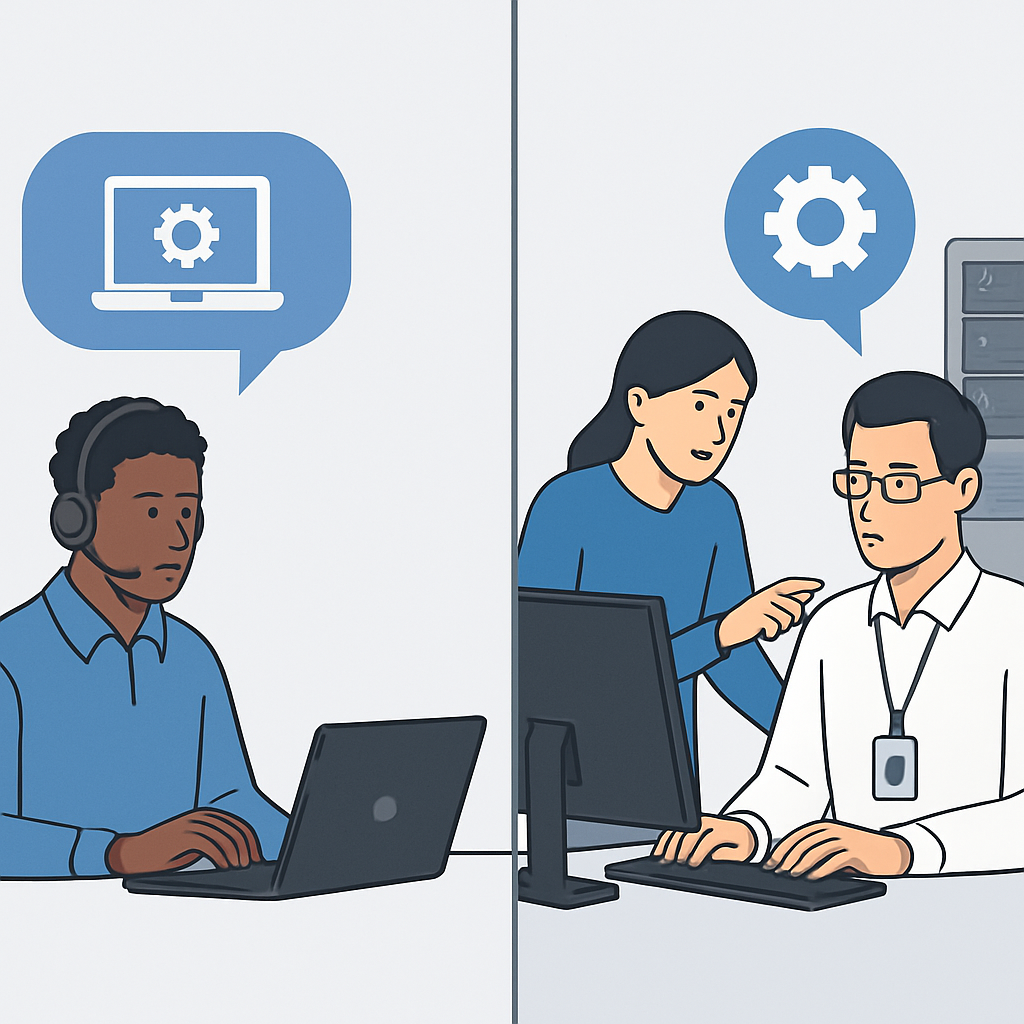
The main difference is structure. In-house IT is built around employees on your payroll. Outsourced IT gives you access to a team of specialists through a service agreement. Many businesses also use a hybrid model, keeping internal staff for daily needs while outsourcing advanced support, cybersecurity, or after-hours coverage.
The Benefits of In-House IT Support
In-house IT support can be a strong fit for businesses with highly specialized systems, large user bases, or complex internal workflows. Having an employee onsite can provide familiarity with your company’s culture, staff, equipment, and day-to-day operations.
An internal IT person may be able to respond quickly to physical issues, such as workstation setup, printer problems, or office network troubleshooting. They can also build strong relationships with employees and understand recurring challenges specific to your business.
For larger organizations, an internal IT department can provide direct oversight and hands-on control. If your company has enough technology demand to justify full-time staffing, in-house IT may offer convenience and continuity.
However, in-house IT support also comes with hiring costs, training requirements, benefits, vacation coverage, limited skill sets, and the challenge of keeping up with rapidly changing security threats and technologies.
The Benefits of Outsourced IT Support
Outsourced IT support gives businesses access to a wider range of expertise without needing to hire multiple full-time specialists. Instead of relying on one person to manage every technology issue, your business can work with a team that includes help desk technicians, network engineers, cybersecurity professionals, cloud specialists, and strategic advisors.
This approach is especially valuable for small and midsize businesses that need reliable IT support but may not have the budget or workload for a full internal department. Outsourced IT can provide proactive monitoring, faster issue detection, scheduled maintenance, security updates, backup management, and support when problems arise.
Another advantage is scalability. As your business grows, outsourced IT services can adjust to support additional users, locations, devices, applications, and security needs. You can add services as needed instead of going through a lengthy hiring process every time your technology environment changes.
Outsourced support also helps reduce the risk of knowledge gaps. If an internal IT employee leaves, your business may lose important system knowledge. With an outsourced provider, documentation, processes, and support responsibilities are shared across a team.
Cost Considerations for Each IT Support Model
Cost is often a major factor when comparing outsourced IT support vs in-house IT support. In-house IT expenses typically include salary, payroll taxes, benefits, training, certifications, tools, software, equipment, and recruiting costs. If one person cannot cover all needs, additional hires may be required.
Outsourced IT support is usually structured around a monthly service plan or defined scope of work. This can make budgeting more predictable because your business knows what services are included and what level of support to expect. Rather than paying for individual salaries and tools, you pay for access to an established support team and technology resources.
That said, the lowest-cost option is not always the best option. A business with frequent downtime, weak cybersecurity, outdated systems, or slow support can face larger operational risks. The better question is which model delivers the right level of protection, responsiveness, and expertise for your business.
Cybersecurity and Risk Management
Cybersecurity is one of the strongest reasons businesses evaluate outsourced IT support. Modern threats are increasingly complex, and many companies need more than basic antivirus software or occasional updates. Effective protection often requires layered security, endpoint monitoring, firewall management, email security, patching, backup testing, user training, and incident response planning.
An in-house IT employee may be capable of managing security, but it can be difficult for one person to stay current on every threat, tool, and best practice. Outsourced IT providers often bring dedicated cybersecurity knowledge and established processes for monitoring, prevention, and response.
For businesses in regulated industries, outsourced IT support can also help with compliance-related technology needs. While no provider can eliminate every risk, a proactive IT partner can help identify vulnerabilities, improve security posture, and create a more resilient technology environment.
Response Time, Coverage, and Availability
Technology issues rarely happen at convenient times. A server may slow down during a busy workday, an employee may get locked out before an important meeting, or a security alert may appear after hours. The support model you choose should match the level of coverage your business needs.
In-house IT can be convenient during regular business hours, especially when onsite support is needed. However, coverage may be limited if your IT employee is unavailable, on vacation, in training, or already working on another urgent issue.
Outsourced IT support can provide broader coverage through a team-based approach. Depending on the service plan, businesses may receive remote help desk support, escalation to advanced technicians, scheduled onsite visits, and monitoring designed to catch problems before they disrupt operations.
The best choice depends on your business hours, number of users, tolerance for downtime, and the complexity of your systems.
When a Hybrid IT Support Model Makes Sense
Many businesses do not need to choose only one option. A hybrid IT model combines internal staff with outsourced support. This can be ideal for companies that already have an IT employee but need additional expertise, backup coverage, cybersecurity support, or help with larger projects.
For example, an internal IT manager may handle daily user support while an outsourced provider manages security monitoring, cloud migrations, network upgrades, backup strategy, or compliance technology. This allows internal staff to stay focused on business-specific needs while external specialists handle areas that require deeper technical resources.
A hybrid model can also reduce burnout for internal IT employees. Instead of expecting one person to be available for every ticket, project, emergency, and security concern, your business gains additional support and structure.
How to Decide Which Option Is Right for Your Business
The right IT support model depends on your company’s size, technology complexity, budget, security requirements, and growth plans. If your business has only occasional IT issues, outsourced support may provide the flexibility and expertise you need without adding a full-time employee. If your business has constant onsite needs and enough workload for dedicated staff, in-house IT may be appropriate.
You should also consider whether your current support model is helping your business move forward. Frequent downtime, recurring technical issues, slow response times, unclear security practices, and lack of strategic planning are signs that your IT approach may need to change.
A strong IT partner should do more than fix problems after they happen. The right support should help prevent issues, protect your data, support your employees, and align technology with your business goals.
Frequently Asked Questions
Is outsourced IT support better than in-house IT support?
Outsourced IT support is not automatically better for every business, but it can be a better fit for companies that need broad expertise, predictable support, proactive monitoring, and scalable services. In-house IT may be better for organizations with enough daily technical demand to justify dedicated employees.
Can outsourced IT support replace an internal IT employee?
Yes, outsourced IT support can fully replace internal IT for many small and midsize businesses. It can also complement an existing IT employee by providing advanced expertise, cybersecurity support, project assistance, and backup coverage.
Is outsourced IT support secure?
Outsourced IT support can be very secure when provided by a reputable technology partner with strong processes, documented procedures, security tools, and clear communication. Businesses should work with a provider that prioritizes cybersecurity, access controls, monitoring, and data protection.
What services are usually included with outsourced IT support?
Services may include help desk support, remote troubleshooting, onsite assistance, network management, cybersecurity, cloud support, backup and disaster recovery, software updates, hardware guidance, vendor coordination, and technology planning.
How do I know if my business has outgrown basic IT support?
Your business may need stronger IT support if employees regularly experience downtime, systems are outdated, cybersecurity is unclear, backups are not tested, support requests take too long, or technology problems are interfering with productivity.
Get the Right IT Support for Your Business
Whether you are comparing outsourced IT support vs in-house IT support for the first time or rethinking your current technology strategy, Your Expert Tech can help you make a practical, informed decision. Our team provides reliable managed IT support, cybersecurity guidance, and technology solutions designed around the needs of your business. Contact Your Expert Tech today to discuss the support model that fits your company best.nnRecommended Related Resourcesnn- outsourced it support vs in house it support: https://www.yourexperttech.net/remote-tech-support/n- outsourced it support vs in house it support: https://www.yourexperttech.net/computer-repair-services-for-small-businesses-3/n- outsourced it support vs in house it support: https://www.yourexperttech.net/same-day-computer-repair-near-me/